
Arithmetic Elimination Works Best When It Feels Like a Game First
A calmer guide to Arithmetical Elimination for kids, parents, and anyone who wants a math game that stays light.
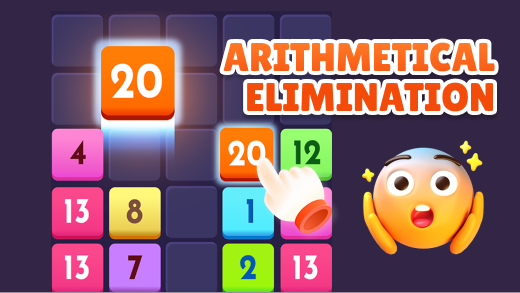
What Arithmetical elimination asks from you
A kid-friendly math game only works if the player feels invited, not judged. Arithmetical elimination is strongest when the board stays readable and the pace stays kind. That is why the surroundings of the game matter almost as much as the game itself.
That means the right goal is confidence first, speed later. For families, clarity matters because adults often have to judge the page before a child can explain what feels off.
Start with a clean first habit
Let the first few boards teach the pattern instead of racing the clock in your head. Family guidance works best when the steps are simple enough to use before the game starts.
Children usually do better when adults treat small correct streaks as progress rather than waiting for perfect rounds. That kind of checklist helps adults make quick calls without turning the session into a lecture.
Read together, the list gives you a short routine you can test right away. That is usually enough to make the next few runs look cleaner.
- Read the whole board once before moving.
- Speak the pattern out loud if that helps the child slow down and see it.
- Keep the session short enough that the game still feels playful.
Mistakes that cost easy runs
Most rough sessions in Arithmetical elimination come from rushing before the pattern is clear. Once you notice where the round first went crooked, the fix is usually less dramatic than it looked.
A short reset usually fixes more than stubbornly forcing another bad attempt. Most bad runs start a moment earlier than they seem to, when one rushed choice leaves no room to recover cleanly.
These examples all point to the same problem: the round gets messy because the first read was rushed. Clean that up, and the rest of the run usually settles down.
- Pushing for speed before the rule feels comfortable
- Correcting every tiny slip in a tense tone
- Staying too long after attention has already faded
A ten-minute practice routine
One short routine is better than a marathon. You remember the rhythm longer, and the game keeps its charm. Family guidance works best when the steps are simple enough to use before the game starts.
Read together, the list gives you a short routine you can test right away. That is usually enough to make the next few runs look cleaner.
- Play a few boards at a relaxed pace.
- Pause briefly after a clean board so the success actually lands.
- Finish while the player still wants one more round instead of after frustration starts.
When to stop and come back later
The nice thing about browser math games is that they can stay small. That is exactly what helps them remain friendly. Most bad runs start a moment earlier than they seem to, when one rushed choice leaves no room to recover cleanly.
When Arithmetical elimination feels light, it usually teaches better too. That is why the loss often feels sudden even though the setup was already shaky.
FAQ
Quick notes for new Arithmetical elimination players. Use these answers as a family guide, then adjust for age, patience, and how much help the player still wants.
If you are new to Arithmetic Elimination, test one or two of these ideas in a short session first. That tells you more than trying to memorize the full list at once.
- Is this only for kids? No. Adults can enjoy the pattern too.
- What matters most, speed or confidence? Confidence first.
- How long should a session be? Usually short, especially for younger players.
- Can parents sit beside the player? Yes, and it often helps the mood a lot.
Explore on Playgoha Games
Ready to play? Browse free HTML5 games or read more guides.
Articles on Playgoha Games are written by our editorial team for entertainment and general education. They are independent editorial content and do not replace professional advice or formal training.
More to read

Use a puzzle game as a clean desk reset between tasks
A short puzzle can shift your attention without the speed and noise of an action game. The trick is choosing a firm stopping point.

The five-minute office break is real, and it has its own kind of game
A true office-break game does not only load quickly. It also lets you stop without the feeling that you abandoned something halfway alive.

New to Eliminate Games on Playgoha Games? Start Here
New players usually do better in eliminate games when they learn the board rhythm first and treat score as a side effect.

How to Push Your High Score in Jump the Ladder on Playgoha Games
Higher scores in Jump the ladder come from rhythm, shorter corrections, and knowing when not to chase a risky recovery.