At a Glance
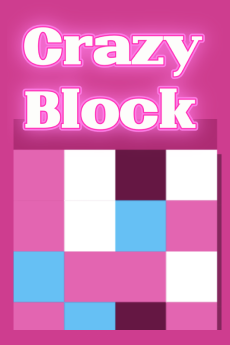
Crazy Block is a block-clearing puzzle with quick decisions, bright pieces, and short rounds. It appears early in the current Popular carousel, so it needs more than a generic match-game summary.
Session Flow
Look for clears that open space for the next piece instead of burning the easiest match. Chain opportunities matter more once the board starts to crowd.
Controls Cheat Sheet
Tap/click to place, select, or clear blocks; drag controls may appear on touch layouts depending on mode.
Try This First
When Crazy Block loads a black canvas, wait eight to ten seconds on slower networks before quitting; asset bundles often stream after the shell appears.
Key Points
Popular carousel exposure • Block-clearing loop • Fast retries • Combo-friendly board reading
Tags & Category
Beyond the core eliminate loop, Crazy Block leans on Casual, Clicker. Casual: rounds stay short with forgiving restarts when you mis-click. Clicker: rhythmic tapping and upgrade timing create most of your score spikes.
Who Should Play
Fans of casual eliminate games, block puzzles, and clicker-simple score chasing.
Wrap-Up
A practical Popular pick: familiar mechanics, easy entry, and enough pressure to invite repeat attempts.
When you finish a session, consider leaving feedback via the contact email on our About page if the embed broke, mislabeled its genre, or showed content you think should be re-reviewed. That input feeds future catalog decisions.
Technical Notes
Developer credit in-game: airongames.
Community snapshot shown on the card: 8.6 stars from roughly 476,069 votes—treat it as social proof, not a guarantee you will match that difficulty curve.
Runs as HTML5; keep your browser updated for the best frame rate.
Supported environments: Browser (desktop and mobile).
Build information on file: March 2024.
On This Site
You found Crazy Block through our free catalog—use the side menu or search if you want to jump to another genre after this session. Cookie and ad settings are available in the site footer before you start play.
One More Thing
Scores and unlock pacing in Crazy Block follow the embedded build you launch from Playgoha Games—if progress seems reset, avoid refreshing the iframe unless you are okay losing the current run.
Progress and scores usually live in the embed’s own storage. Refreshing the iframe or clearing site data may reset a run—screenshot milestones you care about if you are chasing a personal best on Crazy Block.
For parents and teachers: read the type (Eliminate) and tags (Casual, Clicker) together. Cartoon action may be fine for teens while still feeling intense for younger children—preview the first two minutes together when unsure.
Our Take
If you landed on Crazy Block from search, treat this text as a curator note—not marketing copy from the original studio. We describe what we observed in the browser build you launch from Playgoha Games.
We would skip featuring Crazy Block if the iframe routinely failed to start, hid controls behind unlabeled icons, or pushed aggressive off-site redirects. In our checks it behaved like a normal HTML5 embed: load, play, exit back to this overview without trapping navigation.